
Lorem ipsum dolor sit amet, consectetur adipiscing elit. Ut elit tellus, luctus nec ullamcorper mattis, pulvinar dapibus leo.
7 Best NoahFace Alternatives
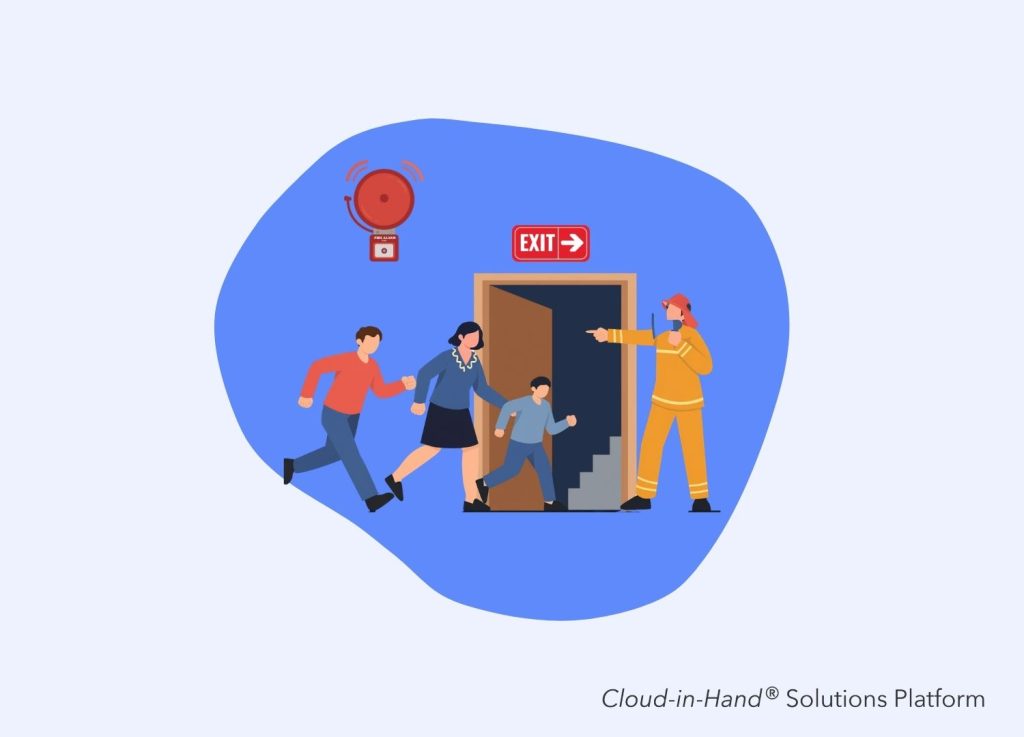
Table of Contents
Disclosure: Cloud-in-Hand publishes this site, and Stratus-io is our own product, so we rank it first. Every competitor description is factual and sourced from each vendor’s own site, and we say plainly when another tool is the better fit.
NoahFace turns a standard Apple iPad into a facial recognition time clock, and it does that job well. The software captures workforce data at clock-in and supports the time and attendance workflows many employers need.
But it is not the right fit for every site.
Teams look for NoahFace alternatives for a few recurring reasons: the cost of putting iPads at every entrance, biometric consent requirements, quote-based pricing, or an existing badge system that workers already use every day.
Cloud-in-Hand publishes this site, and our own product, Stratus-io, is the first pick on this list. We will explain why it fits certain sites better, while also pointing out where NoahFace and the other alternatives make more sense.
Key Takeaways
- NoahFace is an iPad-first face clock with strong payroll integrations and unpublished, quote-based pricing.
- Cloud-in-Hand Stratus-io leads this list for badge-based check-in, multi-site attendance, and evacuation headcount on any device.
- Stratus-io has no face check-in. If biometric identity at the door is a hard requirement, choose NoahFace, Deputy, Jibble, or Buddy Punch.
- NoahFace buys idChamp RFID readers from Cloud-in-Hand for solutions that need badge reading.
- The six alternatives below all publish pricing, which makes them faster to evaluate than a quote-only vendor.
Why teams look for NoahFace alternatives
Hardware is the first issue for many teams. NoahFace runs on Apple iPads, and its pricing page lists $349 per iPad as an average retail cost for a 10th generation 64GB model at April 2024 prices.
That adds up quickly. Put 14 gates across four plants, and the iPads alone become a significant part of the project cost. It also raises a practical question for sites that already issue proximity cards: why buy and maintain a second identity system when every worker already carries a badge?
Pricing is another reason teams compare alternatives. NoahFace states that its SaaS pricing depends on user count, device count, and contract term, with options ranging from month-to-month agreements to five-year contracts.
That approach is common with enterprise software, but it makes early-stage budgeting harder. Procurement teams cannot build an accurate comparison from a published rate card, so they need a sales conversation before they can see what a full deployment will cost.
Biometric consent is a real blocker at unionized sites
Facial recognition adds another approval step that badge-based check-in typically does not. Illinois employers, for example, must account for the requirements of the Biometric Information Privacy Act when collecting biometric data. At unionized sites, biometric enrollment can also become part of labor discussions before a new time clock goes live.
Badge-based check-in can simplify that process. In our manufacturing deployments, teams have generally been able to move through safety and labor review faster with an existing badge system than with face capture. The benefit is not just fewer forms. A simpler approval process can take weeks out of a rollout.
Stratus-io, powered by the Cloud-in-Hand Solutions Platform, combines mobile check-in, attendance tracking, and emergency personnel accountability in one system. Because Cloud-in-Hand publishes this site and Stratus-io is our product, we will also be clear about where it falls short of NoahFace.
Stratus-io reads the RFID and NFC badges your organization already uses, including PROX, MIFARE, iClass, and Corp 1000. There is no biometric enrollment and no facial template to maintain.
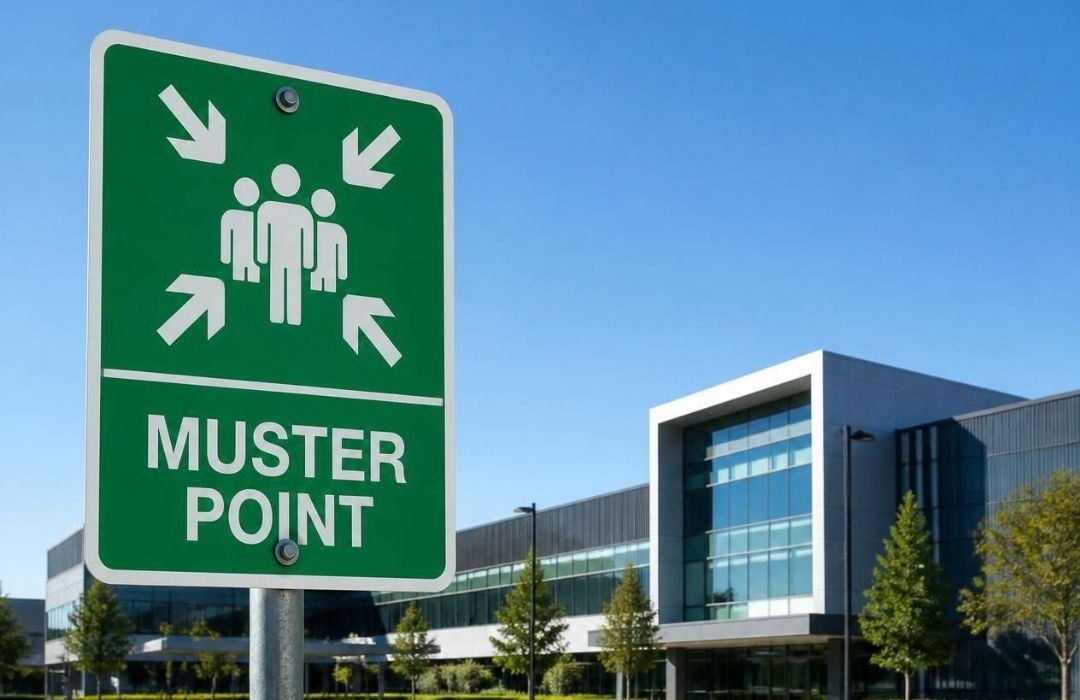
The biggest difference from NoahFace is device flexibility. Stratus-io runs on iPhone, iPad, Android, and Windows. When an evacuation happens, a supervisor can use a phone or tablet at the muster point instead of sending workers back to a fixed time clock.
Cloud-in-Hand also manufactures the idChamp and Scanfob reader lines. NoahFace purchases idChamp readers from Cloud-in-Hand for deployments that need badge reading, so the two products can overlap on the hardware side even though their primary approaches to identity verification are different.
Where Stratus-io fits best
Our RFID attendance system is designed for organizations with 200 or more people that need to know who is on site. Construction, manufacturing, mining, oil and gas, data centers, and distribution make up much of our installed base. Gilbane uses Stratus-io across a one million square foot construction site. Subcontractor crews entering through multiple gates are recorded against the same live roster, giving the site a single view of who is present. Nyrstar uses Stratus-io across Canadian mine sites spanning more than 25 km. When workers are spread across a site that large, a paper sign-in sheet at one entrance cannot provide a reliable picture of who is actually on site.
Integrations, offline behavior, and limitations
Stratus-io connects with Genetec, Lenel S2, Hartman, Microsoft Active Directory, SQL, Google Drive, Dropbox, and FTP. Kiosk mode, geofencing, and offline capture with automatic syncing when a connection returns are also supported.
There are limitations. Stratus-io does not offer facial recognition. If facial recognition is a non-negotiable requirement, NoahFace, Deputy, or Jibble will be a better fit.
Stratus-io is also configured as part of a deployment rather than being a completely self-service product you can set up in an afternoon. Pricing is quoted based on the site and reader requirements, so buyers looking for a published per-user rate will have an easier time budgeting with some of the alternatives below.
If you are comparing the broader time and attendance market, see our guide to the 7 best time and attendance software platforms.
Deputy is the closest like-for-like alternative to NoahFace on this list. It combines time tracking with scheduling and payroll, giving hourly teams more workforce management tools than a dedicated face clock.
For NoahFace buyers, the relevant feature is Deputy’s shared kiosk time clock. Its pricing page lists biometric time clocking on the Core plan, using face unlock to help prevent buddy punching.
The setup is similar to NoahFace: mount a tablet at an entrance and have employees clock in through a shared device. The difference is that Deputy wraps the time clock into a broader workforce management platform.
Deputy pricing and plans
Deputy publishes three plans: Lite at $5 per user per month, Core at $6.50, and Pro at $9. HR is available as a $2 per user per month add-on, while Analytics+ costs $1.50. Deputy also lists a minimum monthly spend of $30 USD or AUD, or £20 GBP, effective September 1, 2025. Because face unlock is included with Core and above, buyers who need biometric clocking should budget at least $6.50 per user per month.
Strengths and limitations
Deputy's biggest advantage over NoahFace is the combination of transparent per-user pricing and workforce management features. A restaurant group, healthcare team, or other shift-based employer can handle scheduling and time tracking from the same platform. The tradeoff is scope. Deputy is built around workforce management, not emergency accountability. Evacuation headcounts, muster point roll calls, and visitor badging are outside the core time clock. Pricing also scales differently from NoahFace's device-based model. For a large site, compare the cost per user with the cost of putting dedicated devices at each entrance before deciding which model makes more sense.
Connecteam is the broadest all-in-one option on this list. It combines time tracking, communication, and HR through separate hubs. Connecteam states that more than 1.8 million managers and employees use the platform across more than 80,000 companies.
For NoahFace buyers, the relevant feature is the Kiosk App. Connecteam lets employees clock in and out from a shared workplace tablet using a PIN or selfie verification.
That distinction matters. A selfie is a photo attached to the time entry. It is not the same as matching a worker’s face against an enrolled biometric template.
pricing and plans
Connecteam's pricing page separates its features into Basic, Advanced, Expert, and Enterprise tiers across different hubs. Published Operations Hub pricing starts at $29 per month for the first 30 users, with higher tiers listed at $49 and $99. Users beyond the first 30 are billed per employee, with Connecteam listing additional-user rates from $0.50 to $5 depending on the hub and plan. Connecteam also offers a Small Business plan at no cost for organizations with up to 10 employees. Geofencing covers up to 10 sites on Advanced and becomes unlimited on Expert.
Strengths and limitations
The pricing structure makes Connecteam a strong option for smaller deskless teams. The first 30 users are included in a flat monthly price rather than billed individually. For larger organizations, the main limitation is identity verification. A PIN and selfie provide more evidence than a basic punch, but they do not provide the same identity assurance as facial recognition or a physical credential. Time clock limits can also matter at larger sites. Connecteam lists up to six time clocks on Expert, which could be restrictive if you are managing 14 entrances. Contractor-heavy sites should also compare it with our guide to 7 best contractor management software platforms.
Jibble is one of the strongest low-cost alternatives to NoahFace. Its face recognition time clock uses AI-powered identity verification and captures a selfie during each clock-in.
Jibble states that its free forever plan supports unlimited users. The plan includes clock-in through mobile and web, basic timesheets, and integrations with Slack, Microsoft Teams, and QuickBooks.
Face recognition, GPS-verified clock-in, and kiosk mode are also included in the free tier according to Jibble’s published information. For a small employer whose main goal is preventing buddy punching, that combination is difficult to beat on price.
How Jibble handles sites and devices
Jibble runs on iOS, Android, web, desktop, and shared tablet kiosks. Its kiosk supports face recognition, PIN, and NFC card tap, giving teams different ways to verify employees at clock-in.
Geofencing limits clock-ins to approved locations, with zones set for individual job sites. GPS also records the location of each clock-in and clock-out.
Jibble lists customers including Tesla, Pepsi, Bosch, and Hyundai, and cites more than 20,000 verified user ratings across review platforms.
Strengths and limitations
Jibble's biggest advantage is the combination of biometric verification and a free entry-level plan. Small contractors and franchise operators can test face-based clocking without committing to a hardware purchase or a paid subscription. The tradeoff is depth. Advanced controls are reserved for paid plans, and free users should not expect the same level of support or enterprise features as a dedicated deployment. Jibble also does not provide a built-in mustering system or the same type of access-control integrations as Genetec or Lenel S2. A refinery that needs to account for 1,400 people during an evacuation needs a separate solution for that part of the workflow.
Buddy Punch positions itself as “the #1 employee time clock software” for U.S. businesses with hourly workers. The company says it serves more than 10,000 businesses.
For NoahFace buyers, the key feature is facial recognition. Buddy Punch supports clock-in through a computer, mobile device, or kiosk using a PIN, facial recognition, or QR code.
That flexibility can be useful on sites where employees do not always have ideal conditions for face verification. Warehouse workers wearing masks or safety glasses, for example, can use a PIN instead of requiring an administrator to intervene.
Buddy Punch pricing and plans
Buddy Punch publishes its pricing on its pricing page. With annual billing, Starter costs $4.99 per user per month, Pro costs $6.99, and Advanced costs $12.99. Each plan also carries a $19 monthly base fee. Monthly pricing is $5.99, $7.99, and $13.99 per user, with the same $19 base fee. Facial recognition and GPS tracking are included across all three plans, while geofencing starts with Pro. Buddy Punch also states that admin users are free and do not count toward the billed user total. The company cites a 4.8 out of 5 rating from more than 1,600 reviews.
Strengths and limitations
Buddy Punch is a strong option for payroll-focused employers that want facial verification without moving into a higher-priced workforce management platform. Integrations with QuickBooks, Gusto, and ADP also make it practical for teams that already have a payroll system in place. The tradeoff is enterprise depth. Buddy Punch is built primarily around time tracking for hourly workers, so larger or multinational organizations may find fewer integrations and deployment options than they would with an enterprise-focused platform. Buddy Punch also does not provide personnel accountability for evacuations or manufacture its own RFID reader hardware. If you need both time tracking and emergency headcount, those requirements should be evaluated separately. Construction firms comparing both options can also see how Buddy Punch stacks up against other platforms in our roundup of 7 best time and attendance software for construction.
Homebase is built primarily for small businesses with hourly employees. Homebase states that it supported 3.5 million workers in 2025 and offers employee time clocks that turn punches into payroll-ready timesheets.
Homebase runs its time clock through mobile apps, tablets, kiosks, and POS devices, with both kiosk and offline modes available. For a small business, that setup can feel similar to NoahFace’s mounted iPad approach without requiring Apple hardware specifically.
Identity verification is handled through photo capture and unique employee PINs. Homebase says its Plus plan and above can capture team member photos on tablets and POS devices during clock-in.
pricing and plans
Homebase prices by location rather than by user, which changes the math for businesses with larger teams at each site. Its pricing page lists Basic as free for up to 10 employees, followed by Essentials, Plus, and All-in-One. With annual billing, the paid plans cost $24, $56, and $96 per location per month. Monthly pricing is $30, $70, and $120. Payroll is a separate add-on priced at $39 per month plus $6 per employee per month. Homebase also integrates with platforms including Square, Shopify, Clover, Toast, and QuickBooks.
Strengths and limitations
The biggest advantage is the per-location pricing model. A 60-person restaurant and an 18-person restaurant at the same plan level pay the same monthly software rate, making Homebase more attractive as employee counts grow within a location. The tradeoff is identity verification. A photo provides evidence of who appeared at the time clock, but it does not match that person's face against an enrolled biometric template like NoahFace or Jibble. Homebase is also designed around hourly retail, restaurant, and service businesses. Industrial sites that need RFID badge integration, emergency muster reporting, or visitor management will likely need a more specialized platform.
When I Work approaches time tracking from a scheduling-first perspective. The company describes itself as “smart scheduling software for shift-based teams” and states that more than 200,000 workplaces use the platform.
Time tracking is included with every plan rather than sold as a separate add-on. When I Work lets teams turn a device into a time clock for tracking attendance, breaks, and time off.
For identity verification, When I Work relies on GPS clock-ins and geofencing to confirm that employees are at an approved location. It does not offer facial recognition, so buyers looking specifically for biometric verification should consider another option on this list.
pricing and plans
When I Work publishes three plans on its pricing page. Essentials costs $2.50 per user per month, Pro costs $5, and Premium costs $8. The $2.50 Essentials plan is the lowest published per-user price in this comparison. When I Work also offers a 14-day trial without requiring a credit card, while enterprise pricing is available on request.
Strengths and limitations
Scheduling is the main reason to choose When I Work. Teams whose biggest challenge is shift coverage, availability, and scheduling will get more value from it than from a dedicated time clock focused on identity verification. The tradeoff is identity assurance. GPS can confirm that a phone was at the right location, but it cannot confirm who actually used the device to clock in. An employee could hand a phone to a coworker at the gate. When I Work also does not include built-in mustering, visitor management, or contractor induction. If your site needs those workflows alongside time tracking, a more specialized platform will be a better fit. For more background, see our ultimate guide to time and attendance systems.
How to choose
Start with the credential question. It narrows the shortlist quickly.
If your workers already carry proximity or smart cards, badge-based check-in can build on the system you already have. You do not need to introduce a second identity method or enroll employees in a new biometric system.
If your site does not use employee credentials and does not want to issue them, face-based check-in makes more sense. Deputy, Jibble, and Buddy Punch all offer facial recognition at published prices, while NoahFace remains a strong option for organizations that want an iPad-based facial recognition time clock.
Pro tip: count your gates before you count your users
Pricing models can look very different once you apply them to your actual site. Per-user pricing, per-device pricing, and per-location pricing can produce very different totals depending on how many employees and entrances you have.
A 900-person plant with six entrances should compare the cost of six clocking points against a per-user subscription before choosing a vendor. Build both models in a spreadsheet before your first vendor call.
Then ask what happens when the alarm sounds.
A time clock answers one question: who clocked in? An emergency accountability system needs to answer another: who is accounted for right now?
A printed roster and clipboard can support an evacuation procedure, but they do not provide the same live visibility as a system that records check-ins and can be used at the muster point.
For larger sites with OSHA emergency action plan requirements, that distinction becomes more important. If you need badge-based attendance, flexible devices, and emergency headcount in the same system, Stratus-io is built for that workflow.
For a smaller hourly team that mainly needs to prevent buddy punching and track payroll, a free or low-cost face clock such as Jibble may be the better fit.
The right NoahFace alternative depends less on which product has the longest feature list and more on how your site actually handles identity, entrances, attendance, and emergencies.
Cloud-in-Hand® Solutions Team
This blog reflects the expertise of the Cloud-in-Hand® Solutions Team, with over 100 years of combined experience in hardware, software, and firmware development. Since founding Solutions Consulting in 1992 — now known as Serialio LTD — the Solutions Team has designed and developed many innovative solutions. Cloud-in-Hand® Stratus-io Time and Attendance helps organizations like Apple, Google, Toshiba, LinkedIn, Salesforce, and many more.
Cloud-In-Hand® Solution Team
This blog reflects the expertise of the Cloud-in-Hand® Solutions Team, with over 100 years of combined experience in hardware, software, and firmware development. Since founding Solutions Consulting in 1992 — now known as Serialio LTD — the Solutions Team has designed and developed many innovative solutions. Cloud-in-Hand® Stratus-io Time and Attendance helps organizations like Apple, Google, Toshiba, LinkedIn, Salesforce, and many more.
Frequently Asked Questions
What is the closest alternative to NoahFace?
Deputy, since it runs a shared kiosk time clock with face unlock on its Core plan, mirroring the NoahFace pattern of one fixed device serving a whole shift, and publishes per-user pricing from $5/user/month.
Is facial recognition better than RFID badges for time and attendance?
Neither wins outright. Facial recognition removes the shared-credential problem, while RFID badges are faster in a queue, work through gloves and cold weather, and need no biometric consent process. Sites with union agreements or state biometric privacy laws often find badge reading easier to approve.
Can a NoahFace alternative also run emergency headcount?
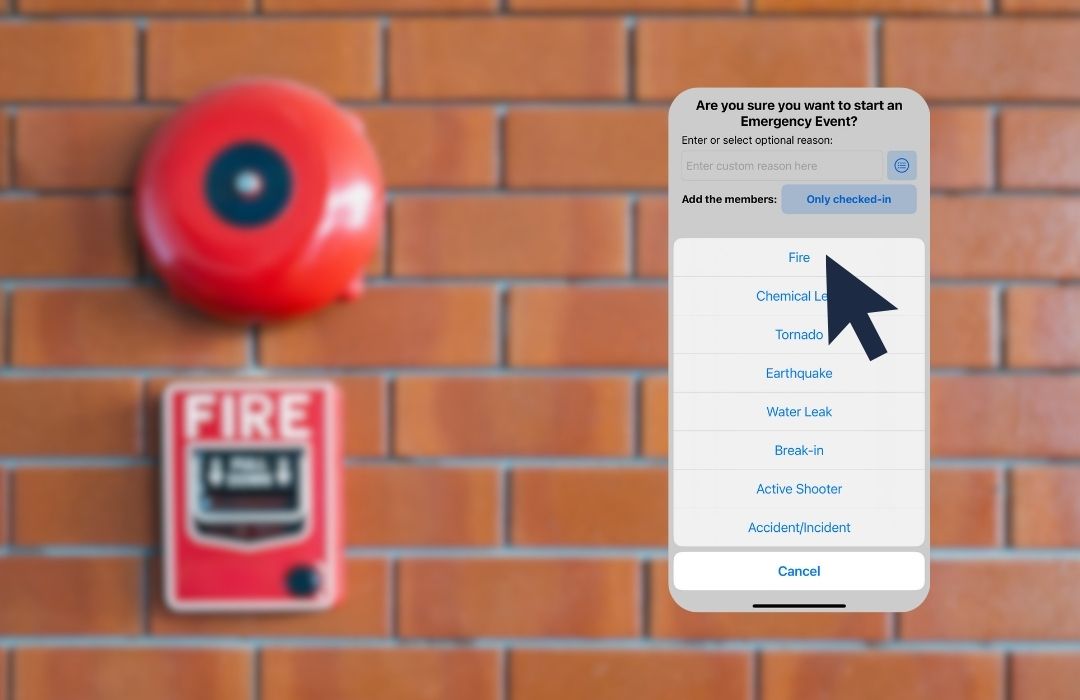
Only some can. Most time clock apps here record punches for payroll only. Stratus-io was built for evacuation roll call as well as daily attendance, with wardens scanning badges at muster points on any phone or tablet to see live present and missing counts.
Do NoahFace alternatives work offline?
Several do. Stratus-io captures scans offline and syncs on reconnect, which matters on remote sites like the Nyrstar mines. Homebase lists kiosk and offline modes; lighter web-first tools can lose punches when a connection drops, so test this before you sign.
Learn About Stratus-io
August 16, 2026

July 19, 2026