
7 Best Employee Time Clock Apps for iPad
Table of Contents
Disclosure: Cloud-in-Hand publishes this site, and Stratus-io is our own product, so we rank it first. Every competitor description is factual and sourced from each vendor’s own site, and we say plainly when another tool is the better fit.
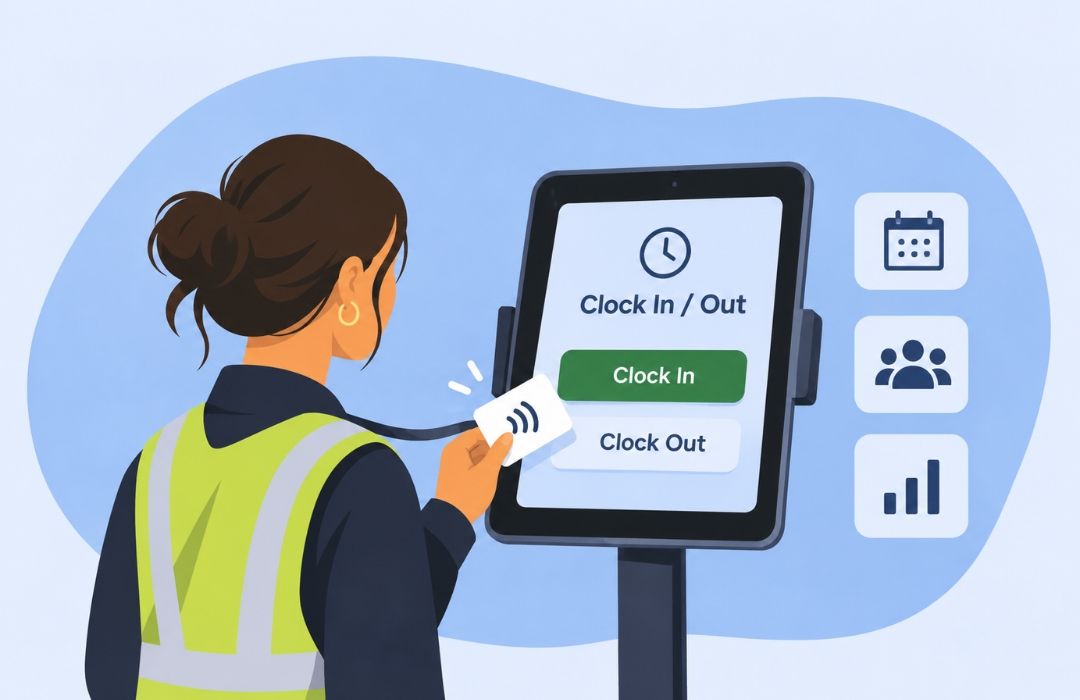
An iPad can be a simple and affordable way to set up a fixed employee clock-in station. With a large touchscreen, front-facing camera, Bluetooth connectivity, and wall mounts available for under $100, businesses can turn a standard tablet into a dedicated time clock without investing in specialized hardware.
But choosing the right iPad time clock app is just as important as choosing the device. The app should keep the tablet locked to the clock-in screen, verify employee identities, and continue recording punches even when the Wi-Fi connection drops. Not every app offers the same level of security, flexibility, or reliability. Knowing what to look for can help businesses find a solution that keeps shift changes running smoothly and employee time records accurate.
In this guide, we’ll break down seven of the best employee time clock apps for iPad, comparing their features, pricing, and what each one offers to help you find the right fit for your business.
Key Terms
- Kiosk Mode: Turns an iPad into a shared employee time clock with restricted access to other apps.
- Identity Verification: Supports check-in methods such as RFID/NFC badges, facial recognition, and PIN entry.
- Offline Time Tracking: Records employee clock-ins and clock-outs without internet access and syncs data when connectivity returns.
- Payroll Integration: Transfers employee hours into payroll systems through direct integrations or CSV exports.
- Multi-Device Compatibility: Allows businesses to track attendance across iPads, smartphones, and other supported devices.
- Attendance Reporting: Helps managers monitor employee hours, missed punches, and attendance records.
- Employee Scheduling: Some platforms include shift scheduling, availability management, and attendance notifications.
Key Terms
- Kiosk Mode: Turns an iPad into a shared employee time clock with restricted access to other apps.
- Identity Verification: Supports check-in methods such as RFID/NFC badges, facial recognition, and PIN entry.
- Offline Time Tracking: Records employee clock-ins and clock-outs without internet access and syncs data when connectivity returns.
- Payroll Integration: Transfers employee hours into payroll systems through direct integrations or CSV exports.
- Multi-Device Compatibility: Allows businesses to track attendance across iPads, smartphones, and other supported devices.
- Attendance Reporting: Helps managers monitor employee hours, missed punches, and attendance records.
- Employee Scheduling: Some platforms include shift scheduling, availability management, and attendance notifications.
7 Best Employee Time Clock Apps for iPad
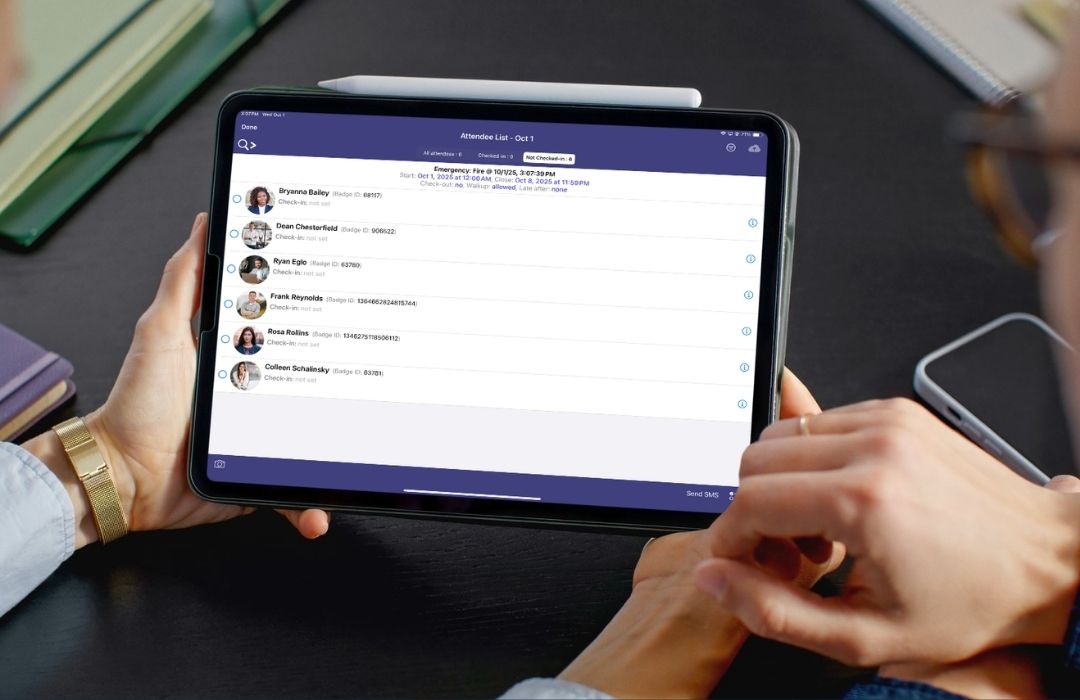
Stratus-io, powered by Cloud-in-Hand® Solutions Platform, turns an iPad into an RFID badge-reading time clock and works across iPhone, Android, and Windows, giving multi-location businesses one platform for attendance. That flexibility suits organizations with large, distributed workforces.
Gilbane, for example, used badge-based tracking to monitor subcontractors across a 1-million-square-foot construction site, giving the team clear visibility into who was on-site and for how long. Stratus-io also helped Drewlo Holdings improve payroll accuracy across its properties through geofenced clock-ins that verify employees are where they should be when they punch in.
Key Features
- Credential support (with idChamp NF4 Bluetooth reader): PROX, Corporate 1000, MIFARE, iClass, Elite
- Barcode and QR code scanning
- Kiosk mode
- Offline time tracking
- Integrations: SQL, FTP, Active Directory, Google Drive, and Dropbox
- Geofencing
Pricing
Custom pricing based on deployment size and hardware needs. A 30-day free trial and personalized demo are available.
Limitations
Stratus-io focuses on attendance tracking only, so it doesn’t include built-in payroll processing or employee scheduling.
NoahFace is an iPad-based time and attendance platform that uses facial recognition for contactless employee clock-ins and clock-outs. Designed specifically for iPads, it provides identity verification for organizations prioritizing workplace security and attendance accuracy.
Beyond time tracking, NoahFace offers access control, visitor registration, and optional alcohol breath testing, making it useful for mining, transportation, and manufacturing industries. It also integrates with enterprise systems such as Workday, UKG, isolved, and SAP SuccessFactors.
Key Features
- Facial recognition and contactless clock-ins
- iPad-based time clock kiosk
- Access control and visitor registration
- Optional alcohol breath testing
- Integrations with Workday, UKG, isolved, and SAP SuccessFactors
Pricing
Custom pricing based on users and devices, with one-, three-, and five-year contracts. Previously listed iPad hardware pricing was $349 as of April 2024.
Limitations
NoahFace is limited to iPads, requiring businesses using Android or Windows to purchase compatible hardware, potentially increasing implementation costs.
Deputy is a cloud-based workforce management platform that combines an iPad time clock with employee scheduling and attendance tracking. Designed for retail, hospitality, and service industries, it helps businesses manage shifts, track employee hours, and prepare timesheets for payroll.
Deputy’s iPad kiosk allows employees to clock in and out, with biometric facial verification available on Core and higher-tier plans. Its built-in scheduling tools make it particularly useful for businesses managing hourly employees and rotating shifts.
Key Features
- iPad kiosk for employee clock-ins and clock-outs
- Biometric facial verification on Core and higher plans
- Employee scheduling and shift management
- Attendance tracking and digital timesheets
- Payroll integration through Paycor
Pricing
Custom pricing based on users and devices, with one-, three-, and five-year contracts. Previously listed iPad hardware pricing was $349 as of April 2024.
Limitations
Facial verification requires Core or higher, increasing costs for businesses needing stronger identity checks. Deputy also does not support PROX or iClass RFID badges, limiting compatibility with existing badge systems.
Buddy Punch is a cloud-based time and attendance platform that turns an iPad into a shared employee time clock kiosk. Designed for small and mid-sized businesses, it helps managers track employee hours, monitor attendance, and manage timesheets.
The platform offers webcam verification, PIN-based kiosk check-ins, and iOS Face ID support, depending on the subscription plan. Optional GPS tracking and payroll processing make it a flexible option for businesses looking for affordable attendance management.
Key Features
- iPad kiosk for employee clock-ins and clock-outs
- Webcam verification and iOS Face ID support
- PIN-based check-ins on Pro and higher plans
- Employee attendance tracking and digital timesheets
- Optional GPS tracking and payroll processing
Pricing
Starter costs $4.99/user/month, Pro $6.99, and Advanced $12.99 with annual billing, plus a $19 monthly base fee. GPS costs an additional $2/user/month, while payroll costs $8/user/month plus a $49 base fee.
Limitations
Shared kiosk and PIN check-ins require the Pro plan or higher, increasing costs. Buddy Punch also does not clearly document offline tracking or RFID badge support, limiting its suitability for businesses with unreliable internet or existing badge systems.
Jibble is a cloud-based time and attendance platform that turns an iPad or mobile device into a shared employee time clock kiosk. Its free plan supports unlimited users, making it an affordable option for small and mid-sized businesses looking to track attendance without purchasing dedicated hardware.
The platform supports PIN entry, facial recognition, and NFC badge scanning. Jibble also offers offline time tracking, digital timesheets, and integrations with Slack, Microsoft Teams, and QuickBooks.
Key Features
- iPad and mobile device kiosk functionality
- PIN entry, facial recognition, and NFC badge scanning
- Offline clock-ins with automatic syncing
- Free time tracking for unlimited users
- Integrations with Slack, Microsoft Teams, and QuickBooks
Pricing
Free-forever plan with unlimited users, basic timesheets, and kiosk access. Paid plans offer additional workforce management features at varying subscription
Limitations
Jibble does not support traditional 125 kHz proximity badges or built-in emergency mustering. This makes it less suitable for organizations with existing industrial badge systems or specialized emergency accountability requirements.
Homebase is a cloud-based time tracking and workforce management platform designed for small and mid-sized businesses, particularly in retail, restaurants, and hospitality. Employees can clock in and out using smartphones, tablets, or POS systems, with hours automatically recorded in digital timesheets.
On a shared iPad, Homebase uses unique employee PINs and photo capture for identity verification. The platform also supports offline time tracking, employee scheduling, and optional payroll processing, making it useful for businesses managing hourly workers.
Key Features
- iPad, smartphone, and POS time clock compatibility
- PIN entry and photo verification
- Offline clock-ins and attendance tracking
- Employee scheduling and shift management
- Digital timesheets and payroll processing
Pricing
Basic is free for up to 10 employees at one location. Essentials costs $30/month, Plus $70/month, and All-in-One $120/month. Payroll costs an additional $39/month plus $6 per employee paid.
Limitations
Costs increase for businesses with multiple locations because each requires a subscription. Homebase also lacks RFID badge scanning and built-in emergency headcount reporting, making it less suitable for larger organizations with specialized attendance needs.
Connecteam is a cloud-based employee management platform designed for businesses with deskless and mobile workforces. Its dedicated Kiosk App turns an iPad or shared tablet into a time clock, allowing employees to clock in and out using a four-digit PIN or optional selfie verification.
Beyond attendance tracking, Connecteam combines employee scheduling, team communication, digital checklists, and training tools in one platform. This makes it useful for businesses managing employees across multiple shifts or job locations.
Key Features
- Dedicated iPad and tablet Kiosk App
- Four-digit PIN entry and optional selfie verification
- Employee scheduling and shift management
- Team messaging and communication tools
- Digital checklists and employee training
Pricing
Free Small Business plan for up to 10 employees. The Operations Hub starts at $29/month for the first 30 users on Basic and reaches $99/month on Expert.
Limitations
Connecteam relies on PINs and optional selfies rather than automated facial recognition or RFID badge scanning. These methods may be less effective at preventing employees from clocking in for coworkers, making it less suitable for organizations requiring stronger identity verification.
Which iPad Time Clock App Should You Pick?
Not every business has the same time tracking needs. A restaurant managing hourly shifts may need something different from a company tracking employees across multiple job sites. That’s why it’s important to look beyond basic clock-in and clock-out features when comparing apps.
For restaurants and retail businesses, Homebase offers affordable scheduling and attendance tracking. Connecteam works well for mobile teams that need communication and workforce management tools, while Deputy combines shift scheduling with employee time tracking. For businesses looking to keep costs low, Jibble offers a free plan with unlimited users.
For larger organizations managing multiple job sites, existing employee badges, or workplace safety requirements, Stratus-io and NoahFace offer more specialized solutions.
Ultimately, the best app depends on how your business operates and what your employees need from a time clock. Take the time to compare your options, schedule a demo, and ask questions so you can see which app makes the most sense for your team.
Cloud-in-Hand® Solutions Team
This blog reflects the expertise of the Cloud-in-Hand® Solutions Team, with over 100 years of combined experience in hardware, software, and firmware development. Since founding Solutions Consulting in 1992 — now known as Serialio LTD — the Solutions Team has designed and developed many innovative solutions. Cloud-in-Hand® Stratus-io Time and Attendance helps organizations like Apple, Google, Toshiba, LinkedIn, Salesforce, and many more.
Cloud-In-Hand® Solution Team
This blog reflects the expertise of the Cloud-in-Hand® Solutions Team, with over 100 years of combined experience in hardware, software, and firmware development. Since founding Solutions Consulting in 1992 — now known as Serialio LTD — the Solutions Team has designed and developed many innovative solutions. Cloud-in-Hand® Stratus-io Time and Attendance helps organizations like Apple, Google, Toshiba, LinkedIn, Salesforce, and many more.
Frequently Asked Questions
Can you use an iPad as an employee time clock?
Yes. Most vendors ship a kiosk mode that locks a shared iPad to a single clock-in screen. Mount it near the entrance, enable Guided Access or Single App Mode, and staff punch in on the way past.
How do employees clock in on a shared iPad without buddy punching?
Four common checks: a personal PIN, a photo at the punch, face matching, and a badge tap. Badge tap is hardest to fake since the credential has to be physically present at the reader.
Does an iPad time clock work without internet?
Stratus-io, Jibble, and Homebase all publish offline clock-in that stores punches on the device and syncs when the connection returns. Confirm the behavior before deploying to a site trailer or basement dock.
Learn About Stratus-io
October 3, 2026
September 14, 2026